What Nobody Tells You About Choosing a 3D Alien SVG (And How to Avoid Costly Mistakes)
You found it. The perfect 3D alien SVG. It looks incredible on the preview screen—sleek, dimensional, and ready to dominate your next design project. Whether you’re building a sci-fi website, printing convention merchandise, or designing a crypto mascot, that file feels like a goldmine. But downloading a vector file is just the beginning. Many creators, from seasoned developers to weekend hobbyists, hit unexpected roadblocks with these niche assets. The file is too bloated to load. The “3D” effect collapses outside the demo. Or you accidentally bought a license that doesn’t cover your actual use case. Let’s walk through the six most common pitfalls so your extraterrestrial asset elevates your work instead of complicating it.
The “3D” Illusion vs. Vector Reality
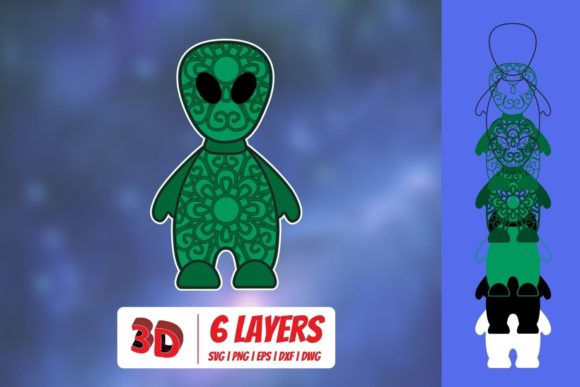
Here is the first truth most sellers won’t tell you: an SVG is a flat, two-dimensional vector format. True 3D exists in software like Blender or Maya, where you can rotate an object around an axis. A 3D alien SVG creates a convincing volumetric look using carefully placed gradients, drop shadows, isometric angles, and layered perspectives. Mistake number one is expecting it to behave like a true 3D model.
Why This Matters for Your Project
I have seen designers download a fantastic 3D alien SVG and immediately try to rotate it in CSS or Three.js. The result is a mangled, flattened mess. The dimensional illusion only works from the angle it was designed for. If you need full rotation, you need a 3D model, not an SVG. Instead, embrace the format. Look for assets labeled “isometric” or “diorama style.” These are specifically designed to maximize the 3D illusion within a static 2D space. If you need multiple angles, look for a vector pack that provides front, side, and three-quarter views.
File Size: The Silent Performance Killer
Just because it’s a vector doesn’t mean it’s lightweight. This is arguably the most overlooked aspect of buying a 3D alien SVG. To simulate smooth, round shading, vector artists often use thousands of tiny overlapping paths or complex SVG filters. A high-quality 3D alien file can easily be 3MB to 10MB.
How This Hurts You
If you use that file on a live website, you are directly impacting your Core Web Vitals. Slow load times destroy SEO rankings and increase bounce rates. In print, giant files can bog down your production pipeline or crash a rasterizer. I once downloaded a “premium” alien pack and opened it to find a single SVG contained over 400,000 anchor points. It took thirty seconds to render on a modern laptop.
Practical Solutions
Always check the file size before purchasing. Many marketplaces list it in the product details. After downloading, run the file through an optimizer like SVGOMG to strip unnecessary precision and metadata. Look for assets specifically marketed as “optimized” or “web-ready.” If the preview looks incredible but the file size is enormous, consider whether you can achieve a similar look with a leaner design. Sometimes a flat-shaded vector with strong lighting works better than a hyper-detailed render exported to an SVG.
Is It Really a Vector? Spotting the Raster Trap
Here is a dirty secret in the asset marketplace: some sellers pass rasterized images off as SVGs. They take a 3D render, export it as a JPEG, and then use auto-trace tools to convert it. The result is not a true vector. It looks pixelated when zoomed in, and the file size is often horribly bloated.
The Telltale Signs of a Fake SVG
If you open the file in a code editor and see a massive string of messy M commands, or references to embedded JPEGs, you have been sold a traced bitmap. True vectors have clean, logical path structures.
- Zoom test: Zoom in to 800%. Do you see pixelation or jagged edges? It is a fake.
- Color test: Is the shading made of distinct solid shapes, or does it look like a blurry photograph? Real 3D alien SVG files use clean gradient meshes or layered shapes.
- Source reputation: Buy from established authors on reputable platforms like Creative Market, Envato Elements, or directly from known vector artists. Read the reviews carefully.
Licensing Landmines in Niche Graphics
You found the perfect alien, clicked “buy,” and used it on a t-shirt for a client. Later, you receive a cease and desist. Mistake number four is ignoring the End User License Agreement (EULA). Because 3D alien art is often used for branding, mascots, and merchandise, licensing is strict. Many popular sci-fi designs include specific clauses.
Standard vs. Extended Licenses
A standard license usually lets you use the 3D alien SVG on a website or in a digital presentation. It will not allow you to print it on merchandise for sale, use it in a logo, or include it in a template you resell. For that, you need an extended license. I always advise my clients to default to an extended license for anything commercial or branded. It costs more, but it eliminates legal risk. Keep your license documentation in your project folder. If you use the file on a platform like Merch by Amazon, Redbubble, or in a client deliverable, you must have the right paperwork.
Editing Complex 3D Vectors Without Breaking Them
You want to change the alien’s skin from gray to green. You select the shape, change the fill color, and suddenly the entire 3D effect vanishes. This is the editability trap. Complex 3D alien SVG files are often built from dozens of overlapping, semi-transparent paths. Changing a single base color can break the shading layers, leaving you with a flat, ugly shape.
A Smarter Editing Workflow
Instead of manually clicking objects, use your vector editor’s “Recolor Artwork” tool (available in Adobe Illustrator and similar programs). This tool adjusts all paths based on their hue, preserving the lighting contrast and 3D shading. If the file is well-organized, look for a “global colors” or “symbols” setup. An experienced vector author will group layers logically. I always open the file and inspect the layers panel before buying. If everything is merged into one giant compound path, editing will be a nightmare.
The Background Test (Light vs. Dark Mode)
Most 3D alien vectors are designed on a clean white background. The creator used pure black drop shadows to create depth. This works beautifully on a light website. But what happens when your site has a dark mode? The black shadow vanishes into the background, and the alien looks like it is floating without any dimension. This is a subtle but critical oversight.
How to Choose a Flexible Vector
Before you buy, view the product preview on both light and dark backgrounds. If the shadows look harsh, or if the asset has a white halo against a dark background, it will not be versatile. Look for 3D alien SVG designs that use deep gray or colored shadows instead of pure black. An asset with a transparent background and soft edge lighting will transition seamlessly between themes. If you design for web, test the SVG inside a dark container immediately. You will quickly see whether the 3D illusion holds up.
A great 3D alien SVG can transform a project from ordinary to extraordinary. It gives your work a polished, high-end look that flat icons simply cannot match. But like any specialized asset, it requires due diligence. Check the license, verify the vector integrity, inspect the file size, and set your editing expectations realistically. By avoiding these common mistakes, you ensure that your alien looks fantastic, loads fast, and remains legally yours to use. Choose carefully, and that 3D alien will work hard for you across every platform.